

WordPress CCPA in 2026: 7 Live Checks Before You Call the Site Ready
A useful guide to wordpress ccpa should help readers understand both the rule and the behavior behind the rule. That is where consent topics become genuinely practical instead of sounding like recycled compliance copy.
The practical review for wordpress ccpa starts when you look past the banner copy and test the live behavior. That is usually where teams find the real gaps: tags firing too early, weak refusal flows, and settings that drift after routine site changes.
The official California sources are still clear. The California Department of Justice updated its CCPA page on August 28, 2026 and still says consumers must get a “notice at collection” at or before collection, plus the right to opt out of sale or sharing, “including via the GPC.” The CPPA’s final regulations still say a cookie banner or cookie controls are “not by itself an acceptable method” for submitting a sale-or-sharing opt-out. And in the Attorney General’s February 11, 2026 Disney settlement announcement, Rob Bonta said asking a business to stop selling data “should not be complicated or cumbersome.” WordPress adds the platform reminder many teams still need: its privacy documentation says it remains your responsibility to “keep that information current and accurate.”
If you want nearby context first, start with these guides to CCPA compliance, WordPress cookie notice, and WordPress privacy policy plugin. This page stays narrower. It is the wordpress ccpa review I would use this week before approving a plugin rollout, a privacy-page refresh, or a California launch.
If your team is trying to get wordpress ccpa under control without adding a heavyweight privacy stack, DataShyre can help. DataShyre focuses on consent and preference management that are easier to implement, easier to operate, and easier to trust on a live site. Start with DataShyre’s consent and preference management or book a demo.
If your team needs help turning a WordPress privacy stack into something that works in production, DataShyre can help with consent management, DSR automation, and data mapping. The expensive failures usually happen between systems, not inside one plugin settings screen.
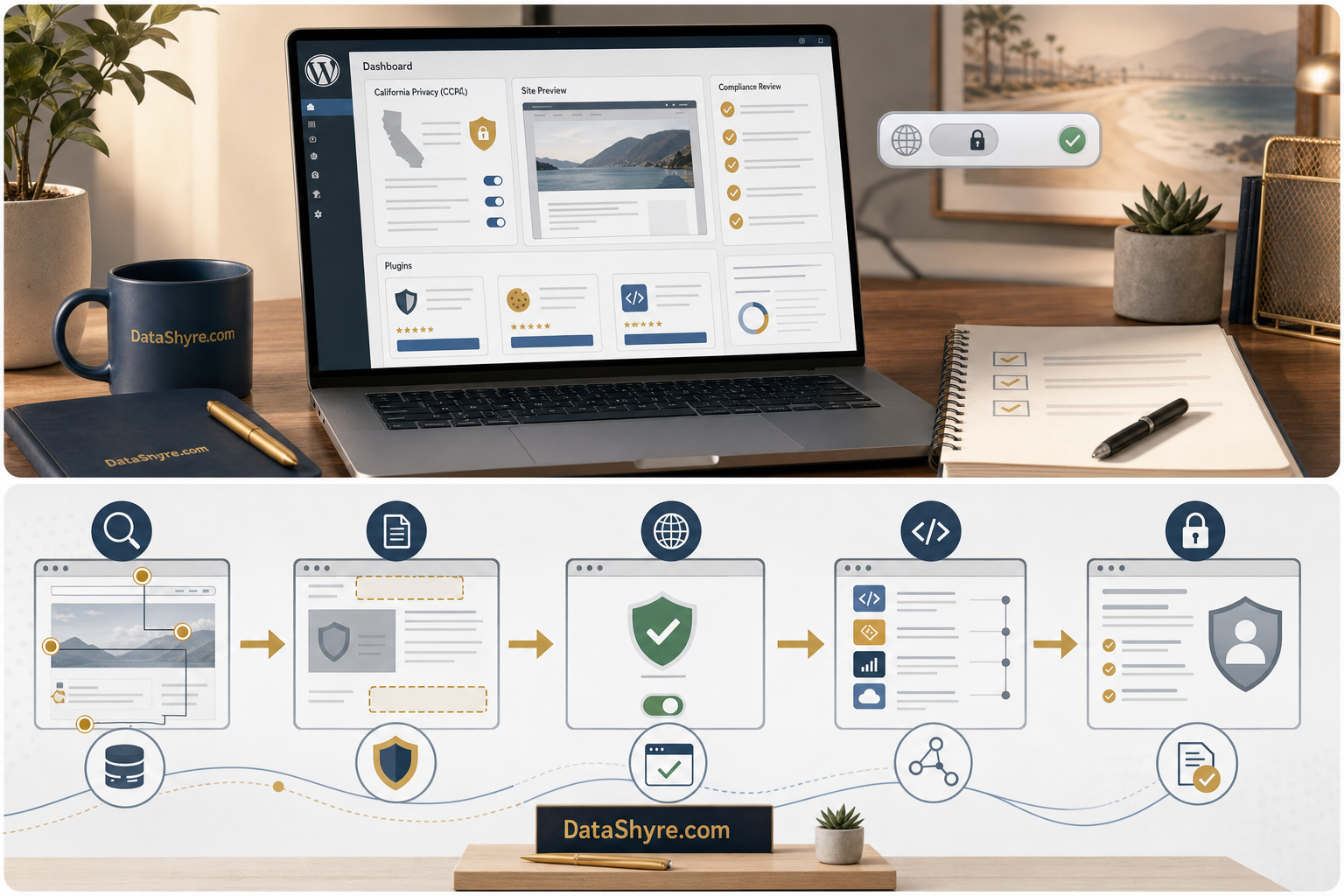
1. Treat WordPress as a live collection stack, not a theme setting
The first wordpress ccpa mistake is acting as if the issue lives only in one popup plugin.
A real WordPress site collects or shares data through more than the theme:
- contact, demo, lead, and newsletter forms;
- checkout, account, and support flows;
- analytics and advertising tags;
- chat, scheduling, video, and map embeds;
- plugins that call outside APIs;
- scripts added in tag managers, header injectors, or custom theme files.
That matters because California rights attach to the actual data flow, not to whichever plugin got installed to make the footer look compliant.
So the first useful wordpress ccpa check is to map where personal information enters the site and which third parties receive it.
2. Put notice at collection where WordPress actually collects data
California’s CCPA page still says businesses must provide a notice at collection at or before the point where personal information is collected, and that the notice must link to the privacy policy for a fuller description.
That is easy to miss on WordPress because collection points multiply quickly:
- a Contact Form 7 or Gravity Forms page;
- a WooCommerce checkout;
- a popup form tied to email capture;
- a gated download form;
- account registration or customer-support intake.
For a serious wordpress ccpa review, check whether the California-facing notice is visible where those forms actually run, not only on a footer page that nobody sees until later.
If the notice exists only in the privacy policy and not near the collection event, the site is weaker than the admin dashboard suggests.
3. Separate cookie controls from sale-or-sharing opt-out controls
This is one of the most common wordpress ccpa failures.
The CPPA’s final regulations still say a cookie banner or cookie controls are “not by itself an acceptable method” for submitting requests to opt out of sale or sharing. That matters because WordPress teams often install one consent plugin and assume it solves every California requirement.
It does not.
A practical wordpress ccpa review should confirm whether the site clearly separates:
- notice about cookies or tracking technologies;
- consent or preference choices where those are being offered;
- a California sale-or-sharing opt-out method;
- the privacy policy and rights explanation;
- the footer or in-context links a user needs to act.
If the site relabels a cookie toggle as the whole California opt-out path, it is compressing different rights into one interface and hoping nobody notices.
4. Test GPC on the live WordPress front end
The California Department of Justice still says the right to opt out of sale or sharing applies including via the GPC. The CPPA FAQ says the same basic thing in plain language: businesses must honor a user-enabled opt-out preference signal.
That makes wordpress ccpa a live testing problem, not only a settings problem.
I would test whether the WordPress site actually changes behavior when a GPC-enabled browser visits:
- the homepage;
- landing pages with ad or analytics tags;
- blog templates with embeds;
- checkout or account pages;
- pages using different plugin bundles or theme templates.
If the preference signal is respected on one template but ignored on another because a plugin injects third-party code differently, the CCPA problem is real even if the main banner looks fine.
5. Pressure-test plugins, embeds, and ad-tech as if they were separate vendors
A lot of wordpress ccpa work fails because teams talk about WordPress as if it were one product.
It is usually a stack of products:
- ad pixels;
- analytics suites;
- ecommerce extensions;
- chat vendors;
- scheduling widgets;
- video or map embeds;
- review, personalization, or testing tools.
The Attorney General’s privacy enforcement page keeps making the same operational point: opt-out mechanisms have to work in practice. The Disney settlement focused on opt-outs that did not fully apply across services and devices. That is a useful warning for WordPress sites too. If one plugin or embedded vendor keeps sharing data after the user opted out, the whole stack is what fails.
This is where DataShyre implementation help tends to matter most. The cleanup is usually not pick a different plugin. It is trace which tools still fire, which vendors still receive data, and which page templates ignore the rights state.
6. Make the privacy page and rights paths match the runtime
WordPress gives you helpful privacy tools, but its own documentation still says you have to keep that information current and accurate.
That means a good wordpress ccpa review compares the published page against the live behavior:
- categories of personal information collected;
- purposes for collection and use;
- whether data is sold or shared;
- which plugins, scripts, or outside services receive data;
- where the user can exercise California rights.
If the privacy page sounds polished but leaves out major tracking or sharing flows added by plugins, pixels, or snippets, then the disclosure layer is stale even if the page itself is easy to find.
7. Re-test WordPress after plugin, theme, and campaign changes
The biggest wordpress ccpa failure is often drift.
A site can pass a review in one sprint and fail it two weeks later because:
- marketing adds a new pixel in GTM;
- a plugin update changes script behavior;
- checkout gets a new upsell app or payment add-on;
- a new popup form collects more fields;
- a campaign landing page uses a different template with extra tracking.
This is why the best wordpress ccpa process is tied to releases and configuration changes, not only to annual policy review.
If nobody re-checks the California notice, the GPC handling, the opt-out path, and the third-party runtime after those changes, WordPress gradually slides out of alignment while the admin settings still look respectable.
A practical WordPress CCPA review for this week
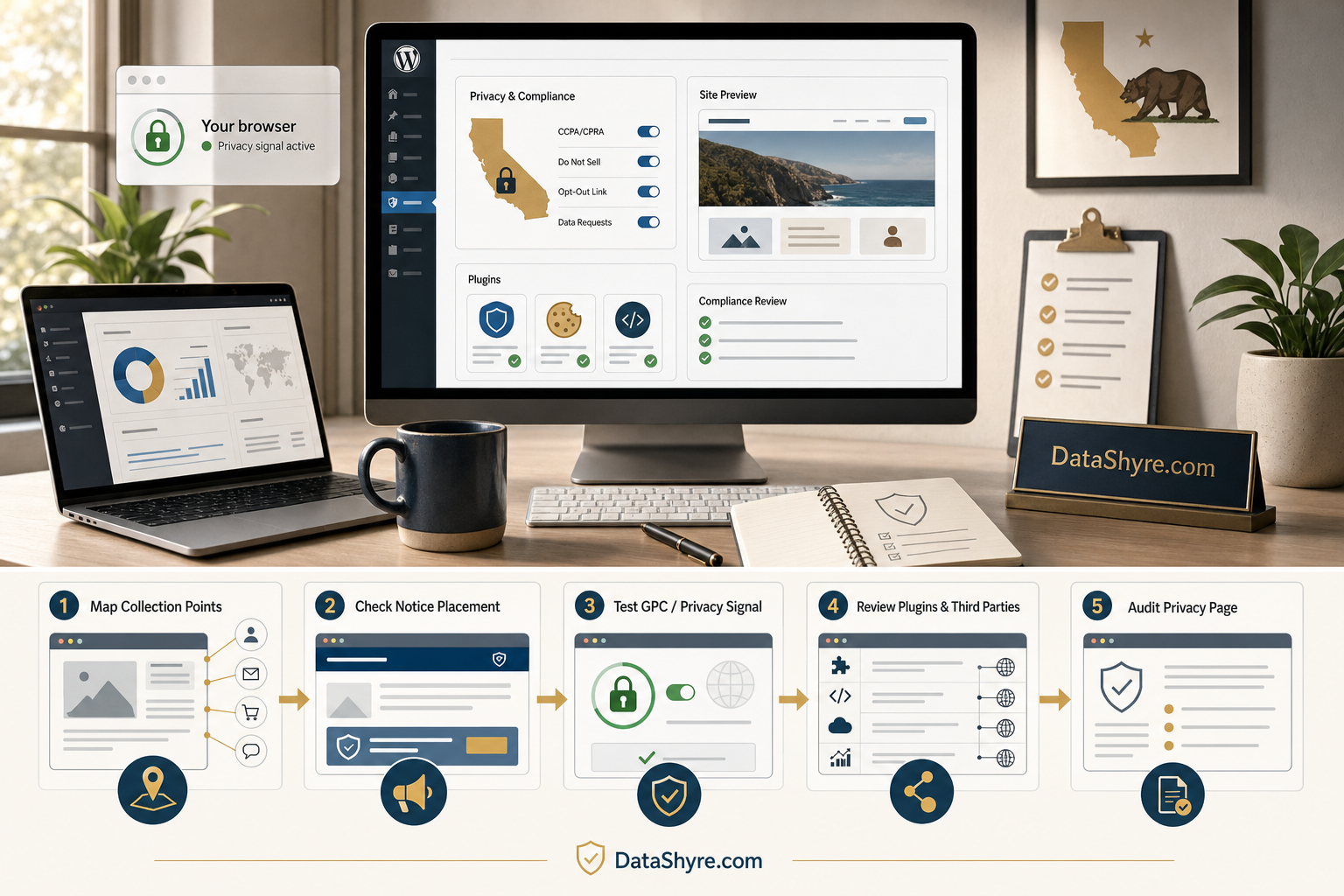
If I were checking a wordpress ccpa setup today, I would use this order:
- map every collection point, plugin, tag, and embedded vendor;
- verify notice at collection where forms and checkout flows actually run;
- separate cookie controls from the California sale-or-sharing opt-out path;
- test GPC across major templates and devices;
- verify that plugins, scripts, and embeds stop or re-route behavior when the rights state changes;
- compare the privacy page against the live runtime and vendor list;
- re-run the checks after plugin updates, campaign launches, or theme changes.
That sequence tells you much more than a plugin feature list ever will.
FAQ
Does WordPress itself make my site CCPA compliant?
No. WordPress provides tools and structure, but the live site still depends on how your plugins, themes, scripts, embeds, and disclosures actually behave.
Is a cookie banner enough for WordPress CCPA compliance?
No. The CPPA’s final regulations say cookie banners or cookie controls are not by themselves an acceptable method for submitting a sale-or-sharing opt-out request.
Do I need to test GPC on more than one page?
Yes. Different WordPress templates and plugins can load different code paths, so a GPC check that passes on the homepage can still fail on forms, blog posts, or checkout pages.
Bottom line
The best wordpress ccpa posture in 2026 is not we installed a privacy plugin.
It is we tested the real site.
That means checking notice at collection where WordPress actually collects data, separating cookie controls from California opt-out rights, honoring GPC, tracing what plugins and vendors really do, and keeping the privacy page aligned when the stack changes.
If those checks pass, your WordPress site is far closer to defensible.
Seen clearly, wordpress ccpa is less about a pop-up and more about whether the site behaves honestly after the visitor makes a choice.
Sources
- California Department of Justice, California Consumer Privacy Act (updated August 28, 2026): https://oag.ca.gov/privacy/ccpa
- California Privacy Protection Agency, Frequently Asked Questions (FAQs): https://www.cppa.ca.gov/faq.html
- California Privacy Protection Agency, Final Regulations Text: https://cppa.ca.gov/regulations/pdf/20230329_final_regs_text.pdf
- California Department of Justice, Disney settlement announcement, February 11, 2026: https://oag.ca.gov/news/press-releases/california-wont-let-it-go-attorney-general-bonta-announces-275-million
- California Department of Justice, Privacy Enforcement Actions: https://oag.ca.gov/privacy/privacy-enforcement-actions
- WordPress Documentation, Settings Privacy screen: https://wordpress.org/documentation/article/settings-privacy-screen/
- WordPress Documentation, WordPress Privacy: https://wordpress.org/documentation/article/wordpress-privacy/